Master AI in 30 Days
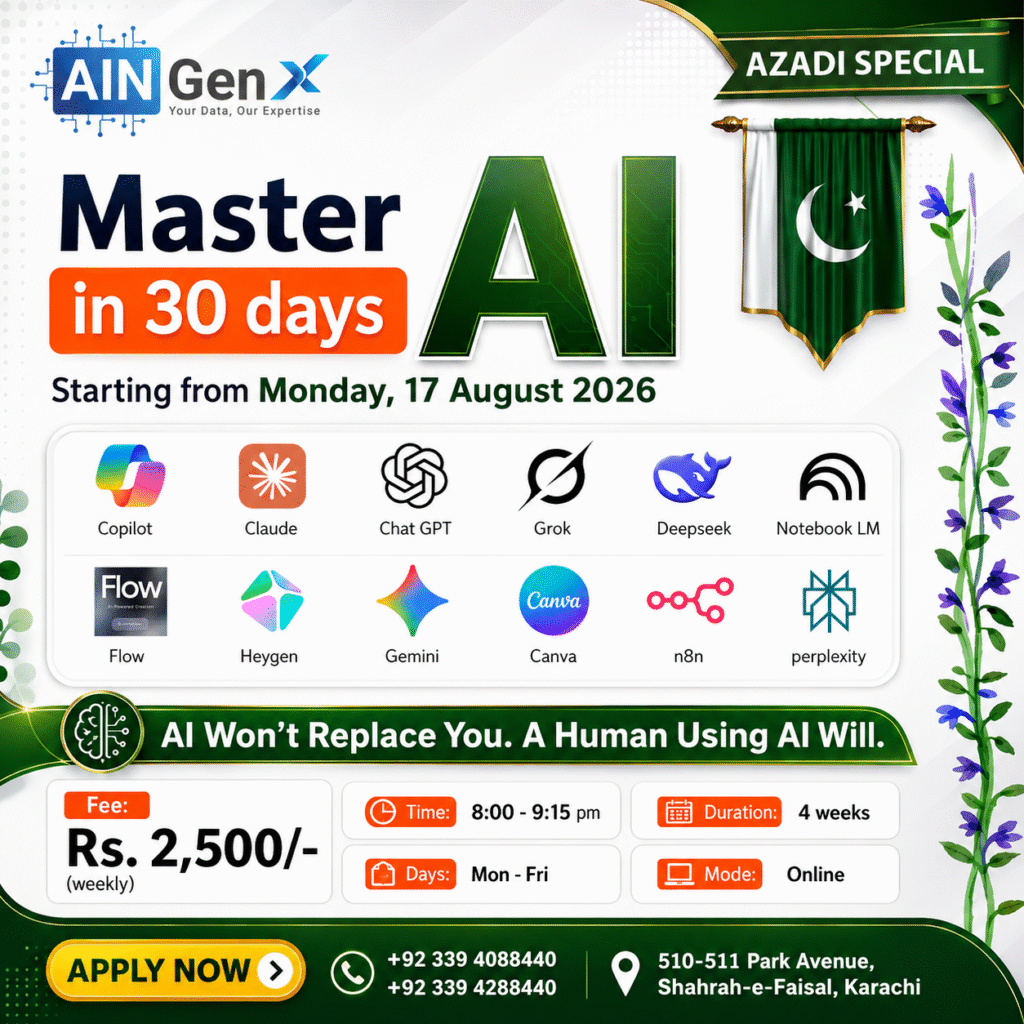
Microsoft Copilot, Claude, ChatGPT, Grok, DeepSeek, Notebook LM, Google Flow, HeyGen, Gemini, Canva, n8n, Perplexity,
This program can be designed as a practical, project-based course for working professionals. By the end, participants should be able to select the right AI tool, write effective prompts, analyse information, produce professional content, automate repetitive work and build complete AI-assisted workflows.
Introduction to Artificial Intelligence and Prompting
• Understand what Artificial Intelligence is and how it is used in professional work.
• Understand what a Large Language Model, or LLM, is.
• Learn how AI systems are trained using large amounts of data.
• Understand how AI generates responses based on patterns and instructions.
• Learn what a prompt is and why prompt quality affects the result.
• Write effective prompts using clear context, task, format and requirements.
• Recognise the limitations of AI, including incorrect or misleading responses.
• Apply basic responsible-AI practices when using business or confidential information.
• Understand what Artificial Intelligence is and how it is used in professional work.
• Understand what a Large Language Model, or LLM, is.
• Learn how AI systems are trained using large amounts of data.
• Understand how AI generates responses based on patterns and instructions.
• Learn what a prompt is and why prompt quality affects the result.
• Write effective prompts using clear context, task, format and requirements.
• Recognise the limitations of AI, including incorrect or misleading responses.
• Apply basic responsible-AI practices when using business or confidential information.
Microsoft Copilot — AI for Workplace Productivity
• Understand the difference between Microsoft Copilot, Copilot Chat and Microsoft 365 Copilot.
• Write effective prompts in Copilot.
• Draft, rewrite, summarise and improve business documents in Microsoft Word.
• Analyse Excel data, generate formulas, identify trends and recommend suitable visualisations.
• Convert documents, outlines and ideas into professional PowerPoint presentations.
• Summarise email conversations and prepare professional replies in Outlook.
• Understand the difference between Microsoft Copilot, Copilot Chat and Microsoft 365 Copilot.
• Write effective prompts in Copilot.
• Draft, rewrite, summarise and improve business documents in Microsoft Word.
• Analyse Excel data, generate formulas, identify trends and recommend suitable visualisations.
• Convert documents, outlines and ideas into professional PowerPoint presentations.
• Summarise email conversations and prepare professional replies in Outlook.
Claude — Documents, Analysis and Interactive Artifacts
• Structure detailed prompts for professional writing, analysis and problem-solving.
• Upload and analyse policies, reports, proposals, contracts and other business documents.
• Create structured reports, standard operating procedures, policies and training materials.
• Use Claude Artifacts to create editable documents, diagrams, dashboards, websites and interactive applications.
• Improve an Artifact through targeted edits rather than repeatedly regenerating the entire output.
• Use Claude for coding, debugging, process documentation and rapid prototyping.
• Organise ongoing professional work into reusable projects and contextual conversations.
• Use Claude to analyse Excel workbooks, interpret tables, identify trends, detect anomalies and generate management insights from spreadsheet data.
• Ask Claude to create, explain and troubleshoot Excel formulas, including lookup, conditional, financial and data-cleaning formulas.
• Convert Excel analysis into executive summaries, chart recommendations and presentation-ready findings for PowerPoint.
• Use Claude to develop complete PowerPoint structures, including slide titles, key messages, speaker notes, visual suggestions and audience-specific presentation content.
• Work with Claude Projects, Skills, Connectors and Plugins to organise knowledge, extend capabilities and support professional workflows.
• Draft, summarise and improve Outlook emails, including professional replies, follow-up messages, meeting invitations and action-oriented email communication.
• Structure detailed prompts for professional writing, analysis and problem-solving.
• Upload and analyse policies, reports, proposals, contracts and other business documents.
• Create structured reports, standard operating procedures, policies and training materials.
• Use Claude Artifacts to create editable documents, diagrams, dashboards, websites and interactive applications.
• Improve an Artifact through targeted edits rather than repeatedly regenerating the entire output.
• Use Claude for coding, debugging, process documentation and rapid prototyping.
• Organise ongoing professional work into reusable projects and contextual conversations.
• Use Claude to analyse Excel workbooks, interpret tables, identify trends, detect anomalies and generate management insights from spreadsheet data.
• Ask Claude to create, explain and troubleshoot Excel formulas, including lookup, conditional, financial and data-cleaning formulas.
• Convert Excel analysis into executive summaries, chart recommendations and presentation-ready findings for PowerPoint.
• Use Claude to develop complete PowerPoint structures, including slide titles, key messages, speaker notes, visual suggestions and audience-specific presentation content.
• Work with Claude Projects, Skills, Connectors and Plugins to organise knowledge, extend capabilities and support professional workflows.
• Draft, summarise and improve Outlook emails, including professional replies, follow-up messages, meeting invitations and action-oriented email communication.
ChatGPT — General Professional AI Assistant
• Apply a structured prompting framework for writing, reasoning, analysis and creative work.
• Create business emails, proposals, policies, reports, job descriptions and meeting documents.
• Upload and analyse spreadsheets, PDFs, documents and images.
• Perform data cleaning, calculations, summaries and exploratory analysis.
• Use web search and research tools to find current information while checking citations and sources.
• Use Projects to organise files, instructions and conversations for ongoing assignments.
• Use Canvas-supported workflows for longer writing, editing and coding tasks.
• Generate and improve images, diagrams, infographics and visual concepts.
• Develop reusable instructions and specialised GPTs for common business tasks.
• Review outputs for hallucinations, unsupported claims and confidential information.
• Build and improve professional websites using ChatGPT for planning, content, design, coding, testing and troubleshooting.
• Work with different GPTs and plugins to extend ChatGPT capabilities and support specialised professional workflows.
• Apply a structured prompting framework for writing, reasoning, analysis and creative work.
• Create business emails, proposals, policies, reports, job descriptions and meeting documents.
• Upload and analyse spreadsheets, PDFs, documents and images.
• Perform data cleaning, calculations, summaries and exploratory analysis.
• Use web search and research tools to find current information while checking citations and sources.
• Use Projects to organise files, instructions and conversations for ongoing assignments.
• Use Canvas-supported workflows for longer writing, editing and coding tasks.
• Generate and improve images, diagrams, infographics and visual concepts.
• Develop reusable instructions and specialised GPTs for common business tasks.
• Review outputs for hallucinations, unsupported claims and confidential information.
• Build and improve professional websites using ChatGPT for planning, content, design, coding, testing and troubleshooting.
• Work with different GPTs and plugins to extend ChatGPT capabilities and support specialised professional workflows.
Grok — Real-Time Research, Files, Images and Video Work
• Use Grok for general questioning, professional writing and idea development.
• Research current topics through supported web and X search capabilities.
• Upload and analyse documents, code, images, audio, video and data files where supported.
• Generate AI images from detailed prompts for marketing, presentations, social media and concept visualisation.
• Refine image prompts by controlling subject, composition, lighting, camera angle, colour palette and visual style.
• Create short AI-generated videos from text prompts or reference images for promotional, educational and professional communication.
• Develop scene-by-scene video prompts with consistent characters, backgrounds, camera movement, transitions and storytelling flow.
• Use Grok for general questioning, professional writing and idea development.
• Research current topics through supported web and X search capabilities.
• Upload and analyse documents, code, images, audio, video and data files where supported.
• Generate AI images from detailed prompts for marketing, presentations, social media and concept visualisation.
• Refine image prompts by controlling subject, composition, lighting, camera angle, colour palette and visual style.
• Create short AI-generated videos from text prompts or reference images for promotional, educational and professional communication.
• Develop scene-by-scene video prompts with consistent characters, backgrounds, camera movement, transitions and storytelling flow.
DeepSeek — Reasoning, Mathematics and Coding
• Understand the difference between standard chat and reasoning-oriented modes.
• Break complex business problems into clear and logical steps.
• Solve mathematical, financial and analytical problems with proper verification.
• Generate, explain and debug Python, SQL, JavaScript and other programming code.
• Convert plain-language requirements into formulas, database queries and automation scripts.
• Install and use DeepSeek offline for private document analysis, coding, calculations and confidential professional work.
• Understand the difference between standard chat and reasoning-oriented modes.
• Break complex business problems into clear and logical steps.
• Solve mathematical, financial and analytical problems with proper verification.
• Generate, explain and debug Python, SQL, JavaScript and other programming code.
• Convert plain-language requirements into formulas, database queries and automation scripts.
• Install and use DeepSeek offline for private document analysis, coding, calculations and confidential professional work.
NotebookLM — Source-Grounded Research and Knowledge Management
• Create subject-specific notebooks for individual projects.
• Add PDFs, websites, videos, audio, Google files, Microsoft files and other supported sources.
• Ask questions that are answered from selected source material.
• Use inline citations to verify where an answer originated.
• Compare documents and identify themes, agreements, contradictions and supporting evidence.
• Turn source material into briefing documents, study guides and frequently asked questions.
• Generate mind maps to visualise relationships between concepts.
• Produce Audio Overviews, quizzes, flashcards, reports, data tables, infographics and slide decks where available.
• Organise source collections for training, policy, research and project work.
• Review source-grounded answers carefully and verify important information using the original citations.
• Work with Notebook Studio to create, organise and manage reports, audio overviews, study materials and other generated outputs.
• Create subject-specific notebooks for individual projects.
• Add PDFs, websites, videos, audio, Google files, Microsoft files and other supported sources.
• Ask questions that are answered from selected source material.
• Use inline citations to verify where an answer originated.
• Compare documents and identify themes, agreements, contradictions and supporting evidence.
• Turn source material into briefing documents, study guides and frequently asked questions.
• Generate mind maps to visualise relationships between concepts.
• Produce Audio Overviews, quizzes, flashcards, reports, data tables, infographics and slide decks where available.
• Organise source collections for training, policy, research and project work.
• Review source-grounded answers carefully and verify important information using the original citations.
• Work with Notebook Studio to create, organise and manage reports, audio overviews, study materials and other generated outputs.
Google Flow — AI Video and Visual Storytelling
• Develop a clear concept, target audience and communication objective for an AI-generated video.
• Convert an idea into a structured script, shot list and storyboard.
• Write effective prompts for subjects, environments, actions, camera movement and visual style.
• Generate videos from text prompts and reference images.
• Maintain consistency in characters, clothing, locations and visual direction across multiple scenes.
• Extend, refine and combine multiple video clips into one continuous story.
• Create scenes with suitable framing, camera direction, pacing and transitions.
• Use reference assets to guide character, background and visual continuity.
• Generate or manage dialogue, sound effects, background music and audio where supported by the selected model.
• Develop a clear concept, target audience and communication objective for an AI-generated video.
• Convert an idea into a structured script, shot list and storyboard.
• Write effective prompts for subjects, environments, actions, camera movement and visual style.
• Generate videos from text prompts and reference images.
• Maintain consistency in characters, clothing, locations and visual direction across multiple scenes.
• Extend, refine and combine multiple video clips into one continuous story.
• Create scenes with suitable framing, camera direction, pacing and transitions.
• Use reference assets to guide character, background and visual continuity.
• Generate or manage dialogue, sound effects, background music and audio where supported by the selected model.
HeyGen — AI Avatar and Multilingual Video Creation
• Understand the basic HeyGen workspace and video-creation workflow.
• Select a suitable public avatar and voice for a simple project.
• Convert a short written script into an avatar-presented video.
• Adjust basic voice settings, pronunciation and speaking pace.
• Organise video content into simple scenes.
• Select portrait or landscape video orientation.
• Add basic visual elements such as backgrounds, images, text and captions.
• Use a ready-made template to create a short professional video.
• Produce one short training, marketing, onboarding or announcement video.
• Export or share a completed video.
• Understand the basic options available for translation, dubbing and custom avatars.
• Follow basic consent and responsible-use practices when working with avatars and voices.
• Understand the basic HeyGen workspace and video-creation workflow.
• Select a suitable public avatar and voice for a simple project.
• Convert a short written script into an avatar-presented video.
• Adjust basic voice settings, pronunciation and speaking pace.
• Organise video content into simple scenes.
• Select portrait or landscape video orientation.
• Add basic visual elements such as backgrounds, images, text and captions.
• Use a ready-made template to create a short professional video.
• Produce one short training, marketing, onboarding or announcement video.
• Export or share a completed video.
• Understand the basic options available for translation, dubbing and custom avatars.
• Follow basic consent and responsible-use practices when working with avatars and voices.
Gemini — Google-Powered Productivity and Multimodal AI
• Use Gemini for brainstorming, writing, summarisation and professional problem-solving.
• Analyse text, images and uploaded documents.
• Conduct comprehensive research using Deep Research where available.
• Create and refine documents, code, applications and presentations in Canvas.
• Build Gems for repetitive roles, customised instructions and specialised professional tasks.
• Connect Gemini to supported Google Workspace services where organisational access permits.
• Use Gemini to develop content and support workflows in Gmail, Docs, Sheets and Slides.
• Generate ideas, scripts, plans, images and other visual content.
• Work with Spark and Canvas to develop, organise and refine creative and professional outputs.
• Use Gemini for brainstorming, writing, summarisation and professional problem-solving.
• Analyse text, images and uploaded documents.
• Conduct comprehensive research using Deep Research where available.
• Create and refine documents, code, applications and presentations in Canvas.
• Build Gems for repetitive roles, customised instructions and specialised professional tasks.
• Connect Gemini to supported Google Workspace services where organisational access permits.
• Use Gemini to develop content and support workflows in Gmail, Docs, Sheets and Slides.
• Generate ideas, scripts, plans, images and other visual content.
• Work with Spark and Canvas to develop, organise and refine creative and professional outputs.
Canva — AI-Assisted Professional Design
• Understand the basic Canva workspace and design workflow.
• Apply simple principles of alignment, spacing, contrast and consistency.
• Create presentations, social media posts, flyers and simple infographics.
• Use templates to create professional designs quickly.
• Add and format text, images, icons, shapes and other visual elements.
• Use basic AI tools to generate or improve text and images.
• Edit images using background removal and other simple tools.
• Resize designs for different platforms and formats.
• Apply basic brand colours, fonts and logos.
• Add simple animations, transitions and effects.
• Download, share and collaborate on completed designs.
• Follow basic copyright, accuracy and responsible-design practices.
• Understand the basic Canva workspace and design workflow.
• Apply simple principles of alignment, spacing, contrast and consistency.
• Create presentations, social media posts, flyers and simple infographics.
• Use templates to create professional designs quickly.
• Add and format text, images, icons, shapes and other visual elements.
• Use basic AI tools to generate or improve text and images.
• Edit images using background removal and other simple tools.
• Resize designs for different platforms and formats.
• Apply basic brand colours, fonts and logos.
• Add simple animations, transitions and effects.
• Download, share and collaborate on completed designs.
• Follow basic copyright, accuracy and responsible-design practices.
n8n — Workflow and AI Automation
• Understand the basic n8n workspace and workflow structure.
• Use triggers, actions, nodes and connections.
• Connect common applications and data sources.
• Move, filter and transform data between different steps.
• Create manual, scheduled and event-based workflows.
• Add basic conditions and workflow routing.
• Use AI models for simple content and data tasks.
• Build a basic email, reporting or data-processing automation.
• Test workflows using sample data.
• Understand basic error handling and workflow monitoring.
• Follow safe practices when connecting accounts and handling data.
• Understand the basic n8n workspace and workflow structure.
• Use triggers, actions, nodes and connections.
• Connect common applications and data sources.
• Move, filter and transform data between different steps.
• Create manual, scheduled and event-based workflows.
• Add basic conditions and workflow routing.
• Use AI models for simple content and data tasks.
• Build a basic email, reporting or data-processing automation.
• Test workflows using sample data.
• Understand basic error handling and workflow monitoring.
• Follow safe practices when connecting accounts and handling data.
Perplexity — AI Search and Professional Research
• Understand the basic difference between traditional search and AI-powered search.
• Ask clear research questions and use follow-up prompts.
• Review citations and open the original information sources.
• Use basic and advanced search options according to the task.
• Compare information from multiple sources.
• Identify outdated, weak or unsupported information.
• Upload files for simple research and analysis.
• Organise related searches and research materials.
• Summarise research findings into clear and useful outputs.
• Follow basic accuracy, privacy and responsible-research practices.
• Understand the basic difference between traditional search and AI-powered search.
• Ask clear research questions and use follow-up prompts.
• Review citations and open the original information sources.
• Use basic and advanced search options according to the task.
• Compare information from multiple sources.
• Identify outdated, weak or unsupported information.
• Upload files for simple research and analysis.
• Organise related searches and research materials.
• Summarise research findings into clear and useful outputs.
• Follow basic accuracy, privacy and responsible-research practices.
Course Fee
● Online
Rs. 2,500/- Weekly
(2,500 x 4 = 10,000/-)
Account Details
Bank: Habib Bank Limited
Account Title: AIN GenX
Account No: 5910-70000512-03
IBAN No: PK08 HABB 0059 1070 0005 1203
Facilitators

Irfan Bakaly
Data Analyst
25+ years of experience in Data Analysis

Noor Surani
Tech Entrepreneur
25+ years of experience in Data Analysis
Who this course is for:
• Business owners and entrepreneurs
• Managers and team leaders
• Banking and finance professionals
• Auditors and compliance professionals
• Data and business analysts
• HR and administration professionals
• Sales and marketing teams
• Project managers and consultants
• Trainers, educators, and researchers
• Professionals who want to improve productivity using AI
Duration
● 4 Weeks (25 Hours)
Classes
● Online via Zoom
Schedule
- Days: Monday - Friday
- Timing: 08:00 - 09:15 pm (PST)
Starting From
● Monday, 17 August, 2026
Fee once paid, non-refundable, and non-transferable.
Participants from Top Organizations












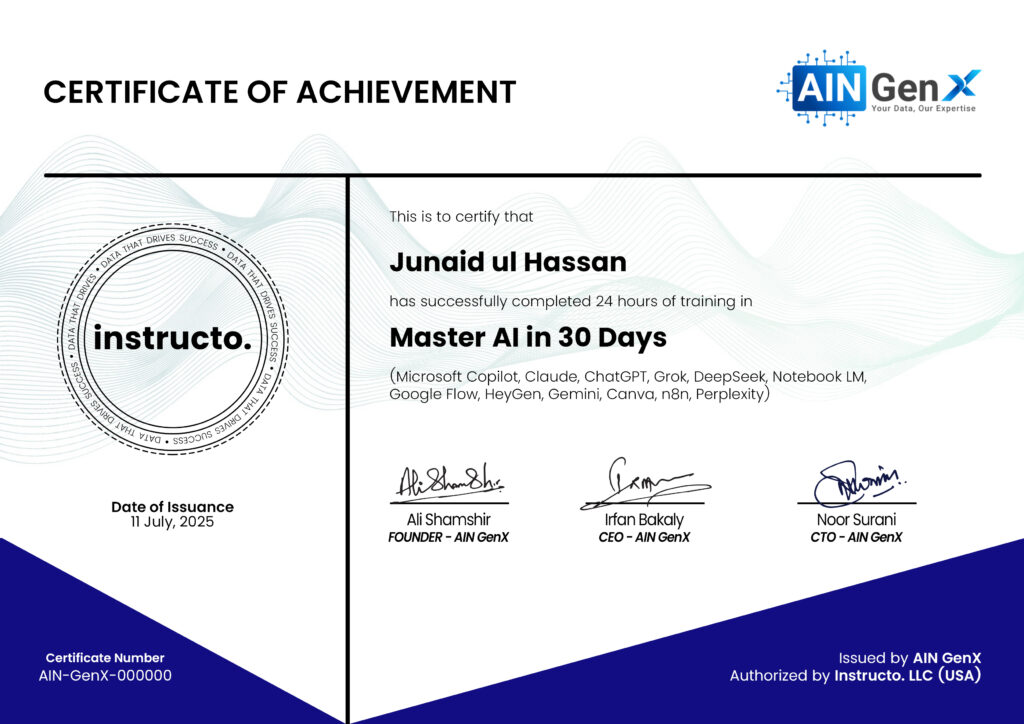
Certificates