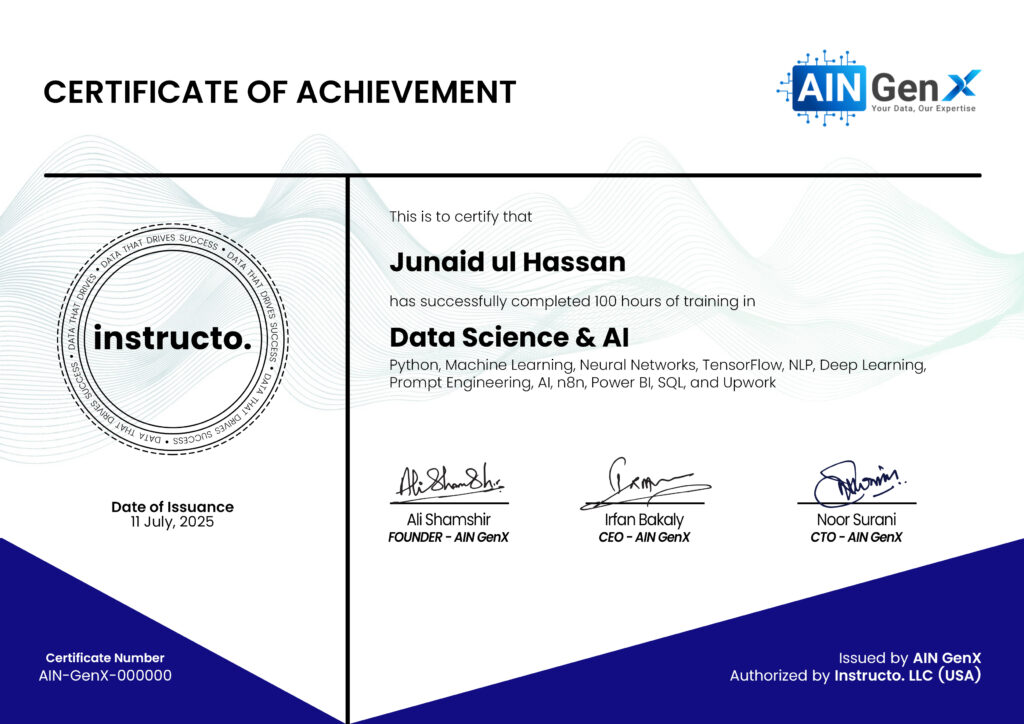
Data Science & AI
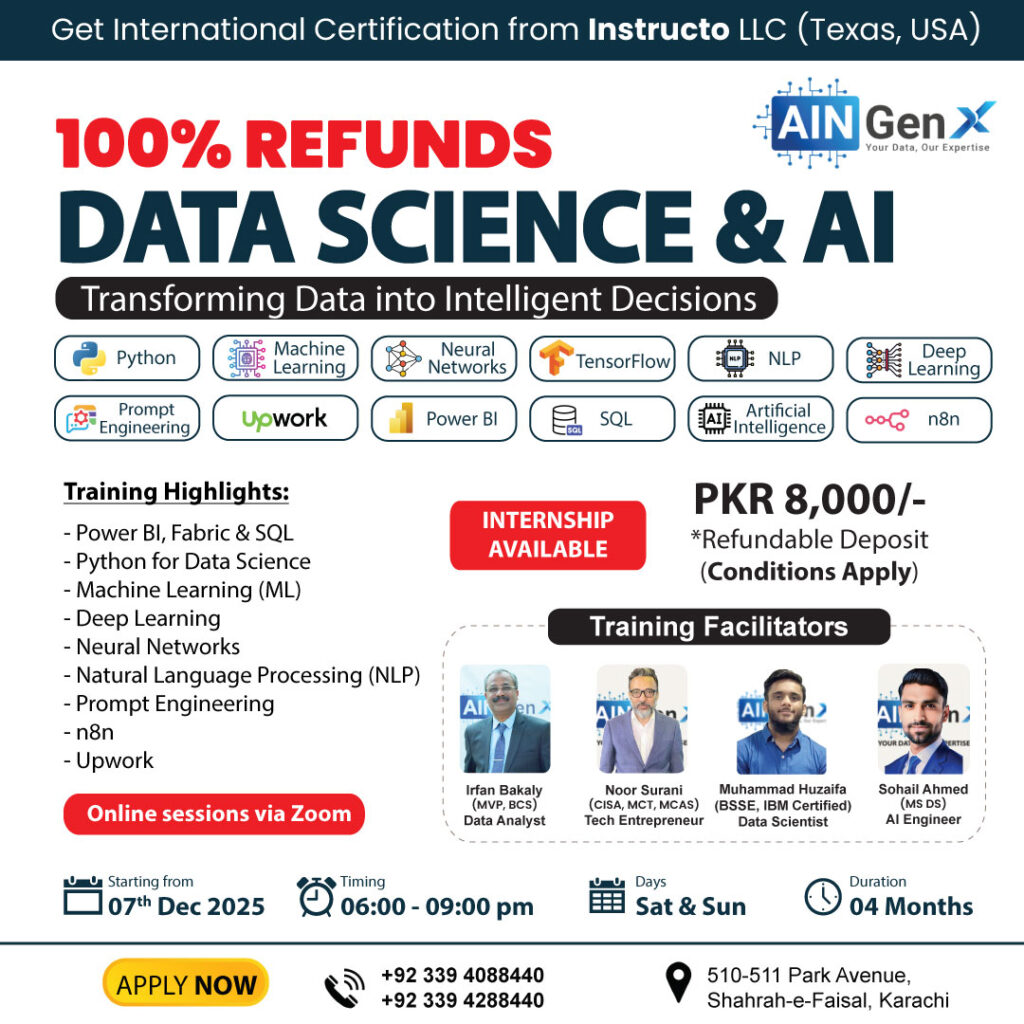
Python, Machine Learning, Neural Networks, TensorFlow, NLP, Deep Learning, Prompt Engineering, AI, n8n, Power BI, SQL, and Upwork
Data Science and AI are transforming the way we understand and use information. By analyzing large datasets, AI uncovers patterns, predicts trends, and automates tasks. From healthcare to finance, these technologies enable smarter decisions, innovative solutions, and a future driven by data-driven intelligence.
Outline
Add-in: Power BI for Data Analysis
Introduction to Power BI Desktop
• Overview of Power BI components: Desktop, Service, and Mobile
• Key features and benefits of Power BI Desktop
• Understanding the Power BI interface and workflow
Data Transformation with Power Query
• Importing data from Excel, databases, CSV files, and cloud services
• Handling multiple data sources
• Removing duplicates and filtering data
• Pivoting and unpivoting data
• Splitting and merging columns
• Conditional columns
• Replacing and transforming values
• Grouping and aggregating data
• Merging and appending queries
Data Modeling in Power BI
• Creating a Data Model
• Defining relationships between tables
• Star schema and snowflake schema in Power BI
• Difference between calculated columns and measures
• Creating calculated columns for custom data
• Hiding and sorting columns
• Managing relationships and model performance
DAX (Data Analysis Expressions) Functions
• Introduction to DAX
• Syntax and structure of DAX
• Understanding row context and filter context
• Aggregation functions: SUM, MIN, MAX, COUNT, AVERAGE
• Logical functions: IF, SWITCH
• Text functions: CONCATENATE, LEFT, RIGHT
• Time intelligence functions: DATEADD, SAMEPERIODLASTYEAR, YTD, QTD, MTD
• Advanced measures for financial analysis (e.g., YTD growth, % changes)
• Handling complex scenarios with CALCULATE and FILTER
Data Visualization and Reporting
• Best Practices in Data Visualization
• Choosing the right visual for your data
• Overview of visualization types: bar charts, line charts, pie charts, maps, etc.
• Building dynamic and interactive visuals
• Customizing Visuals
• Formatting and styling visuals for clarity and impact
• Conditional formatting for highlighting key insights
• Using slicers and filters to add interactivity
• Creating drill-through and drill-down capabilities for deeper analysis
• Adding tooltips and custom visuals for enhanced reporting
• Simplifying and decluttering reports for better readability
Report Sharing and Collaboration
• Publishing reports to the cloud (Power BI Service)
• Sharing reports via email, Teams, and embedding in websites
• Setting up automatic data refreshes
• Scheduling reports and dashboards to update regularly
Add-in: SQL for Data Analysis
Introduction to SQL Server
• Overview of SQL Server
• What is SQL Server?
• Installation and Setup
• SQL Server Management Studio (SSMS) Interface
Basics of SQL
• Introduction to SQL
• SQL Syntax and Structure
• Data Types
• Basic SQL Commands
• SELECT, FROM, WHERE
• INSERT, UPDATE, DELETE
• Filtering and Sorting Data
• WHERE Clause
• ORDER BY Clause
Advanced SQL Queries
• Aggregate Functions
• COUNT, SUM, AVG, MIN, MAX
• Grouping Data
• GROUP BY Clause
• HAVING Clause
• Joining Tables
• INNER JOIN, LEFT JOIN, RIGHT JOIN, FULL JOIN
Data Manipulation and Transformation
• Subqueries and Nested Queries
• Common Table Expressions (CTEs)
• Window Functions
• ROW_NUMBER(), RANK(), DENSE_RANK(), NTILE()
• Data Transformation Techniques
Working with Complex Data Types
• Working with Dates and Times
• Date Functions
• String Functions
• CONCAT, SUBSTRING, CHARINDEX, REPLACE
SQL Server Advanced Topics
• Indexing and Performance Tuning
• Creating and Managing Indexes
• Query Optimization
• Stored Procedures and Functions
• Creating and Executing Stored Procedures
• User-Defined Functions
Data Analysis and Reporting
• Basic Data Analysis Techniques
• Descriptive Statistics
• Using SQL for Data Analysis
• Exploratory Data Analysis (EDA)
• Generating Reports
• Creating Simple Reports in SSMS
• Exporting Data to Excel
Module 1: Foundations of AI, Python & Data Handling
Foundations of AI, Python & Data Handling
• Understanding Python: Building Strong Foundations for AI & Data Science
• Introduction to Artificial Intelligence: Concepts, Origins, and Evolution
• The Rise of AI: Modern Applications and Its Impact on Society
• Ethics in AI: Responsible Use, Transparency, and Governance
• Addressing Ethical Dilemmas: Bias, Fairness, and Accountability
• Regulatory, Legal, and Social Considerations of AI Deployment
• Preparing Data for AI: Cleaning, Transformation, and Standardization
• Exploratory Data Analysis (EDA): Uncovering Patterns and Insights
Module 2: Core Principles of Machine Learning
Core Principles of Machine Learning
• Understanding Machine Learning: Key Concepts and Definitions
• Types of Machine Learning: Supervised, Unsupervised
• The Machine Learning Lifecycle: From Data Ingestion to Model Development
• Programming with Python: Essential Libraries for ML (NumPy, Pandas, Scikit-learn)
• Predictive Modeling: Introduction to Linear and Logistic Regression
• Evaluating Model Performance: Accuracy, Precision, Recall, and Beyond
• Practical Exercise: Build and Evaluate a Simple Regression Model
Module 3: Unsupervised Learning & Clustering Techniques
Unsupervised Learning & Clustering Techniques
• Fundamentals of Unsupervised Learning: When Labels Aren’t Available
• Clustering Algorithms: K-Means, Hierarchical Clustering, and DBSCAN
• Reducing Complexity: Dimensionality Reduction with PCA
• Detecting Anomalies: Outlier Detection Methods in ML
• Hands-on Lab: Apply K-Means Clustering to Real-World Datasets
Module 4: Neural Networks and Deep Learning Essentials
Neural Networks and Deep Learning Essentials
• Neural Networks Demystified: Architecture, Neurons, and Activation Functions
• Learning Through Layers: Backpropagation and Optimization
• Deep Learning in Practice: Convolutional Neural Networks (CNNs)
• Vision Systems: Image Recognition and Classification
• Leveraging Pretrained Models: Introduction to Transfer Learning
• Hands-on Lab: Design and Train a CNN for Image Classification
Module 5: Natural Language Processing (NLP)
Natural Language Processing (NLP)
• Introduction to NLP: Bridging Human Language and Machines
• Text Preparation: Tokenization, Normalization, and Noise Removal
• Feature Representation: Bag-of-Words and TF-IDF Techniques
• Understanding Sentiment and Classifying Text Data
• Word Embedding Models: Word2Vec, GloVe, and Vector Representations
• Advanced NLP: Sequence-to-Sequence Models and Named Entity Recognition (NER)
• Hands-on Lab: Build a Sentiment Analysis Application
Module 6: Workflow Automation with n8n
Foundations of n8n & Core Concepts
Introduction to n8n
• What n8n is and its role in workflow automation
• Why automation matters in modern business operations
• Department-level automation examples (HR, Finance, Marketing, Support)
Dashboard & Interface Walkthrough
• n8n Editor overview
• Nodes and connections
• Execution panel and testing
• Credentials setup basics
Practice Task
• Build your first workflow
• Manual Trigger → Send Email (Gmail node)
• Execute and verify message delivery
Triggers & Scheduled Workflows
Understanding Triggers
• Manual Trigger
• Scheduled Trigger (Cron)
• App-based triggers (Gmail, Webhook, Calendar)
• Real-world use cases for each trigger type
Scheduled Automations
• Configuring Cron expressions
Time-based automation logic
• Recurring reminders and operational tasks
Practice Task
• Create a Daily Reminder Workflow
• Scheduled Trigger → Send Email
• Configure recurring schedule and test execution
Actions, Data Flow & Integrations
Actions & Data Flow Basics
• Understanding action nodes
• Data passing between nodes
• Field mapping and data transformation basics
Connecting Business Apps
• Google Sheets integration
• Gmail integration
• Webhook for form submissions
• Credential configuration and permissions
Practice Task
• Automated Notification Workflow
• Webhook/Form submission → Google Sheets → Email notification
Working with Templates
• Exploring the n8n Templates Library
• Importing pre-built workflows
• Customizing templates to fit business needs
Practice Task
• Modify and run “Gmail → Google Sheets” template
Logic, Organization & Business Use Cases
Workflow Organization
• Naming conventions
• Folder structure
• Reviewing execution logs
• Managing active vs draft workflows
Conditional Logic with If Node
• Filtering data
• Branching logic
• Handling priority-based workflows
Practice Task
• Prioritize Important Emails
• Gmail Trigger → If (High Priority) → Email alert
Real-World Use Cases
HR Use Case
• Automated interview reminders
• Google Calendar → Gmail
Finance Use Case
• Daily financial summary
• Google Sheets → Email
Practice Task
• Build HR Interview Reminder Workflow
Debugging, Best Practices & Real-World
Workflows
Debugging & Error Handling
• Testing workflows step-by-step
• Reading execution logs
• Identifying and resolving failures
• Retry strategies
Practice Task
• Debug a broken Gmail → Google Sheets workflow
Best Practices for Workflow Design
• Credential management and security
• Workflow versioning
• Collaboration and shared folders
• Structuring production-ready workflows
Trending Real-World Workflows
• Lead capture automation
Form → CRM or Google Sheets → Automated email follow-up
Invoice processing automation
Email attachment → Google Drive → Google Sheets record
• Customer support routing
Form/Webhook → Categorization logic → Email assignment
• Daily KPI reporting
Google Sheets → Automated summary email
Final Assignment
• Design and build your own business workflow
• Must include:
At least one trigger
◦ Minimum two action nodes
◦ Conditional logic
◦ Clear naming and structured design
• Submit workflow as final evaluation
Module 7: Prompt Engineering
Introduction to Prompt Engineering
• What is prompt engineering and why it matters
• Real-world examples in business, marketing, HR, operations
• Capabilities and limitations of LLMs (like Gemini, ChatGPT, DeepSeek, Grok & LangChain)
Understanding the Basics
• Types of prompts: System vs. User
• Structure of a good prompt
• Few-shot, zero-shot, and chain-of-thought prompting
• RACE Framework of Prompt
• Role prompting: setting context for better results
Prompting Techniques for Common Tasks
• Summarizing emails, reports, and meetings
• Drafting professional content: emails, SOPs, LinkedIn posts
• Generating ideas, outlines, and presentations
• Rewriting and simplifying complex content
Improving Prompt Effectiveness
• Tone, format, and length control
• Using tables, bullet points, and sections
• Getting better output through step-by-step instructions
• Iterating and refining prompts
Use Cases by Department
• Marketing: ad copy, social posts, blog ideas
• HR: job descriptions, interview questions, policy summaries
• Sales: pitch drafting, email follow-ups, objection handling
• Finance: summarizing reports, variance commentary
Using Prompt Libraries and Templates
• How to reuse and adapt effective prompts
• Storing prompt templates in Google Docs / Notion
• Community libraries and best prompt repositories
GenAI Tools with Built-in Prompt Interfaces
• Overview: Gemini, ChatGPT, DeepSeek, Grok & LangChain
• When to use what: strengths and special features
• Voice and image prompts (multimodal prompts)
Ethics, Accuracy & AI Validation
• Avoiding hallucinations and bias
• Checking facts and ensuring data privacy
• When not to trust AI: guardrails for professionals
Mini Projects and Capstone
• Use a prompt to automate a weekly task
• Create a personal prompt library
• Present a real-world use case with your optimized prompts
Module 8: Start Freelancing on Upwork
Introduction to Upwork
• What is Upwork?
• Benefits of being an Upwork freelancer
• Overview of the Upwork platform
Setting Up Your Upwork Profile
• Creating an effective profile
• Crafting a compelling title and overview
• Highlighting your skills and expertise
• Building a portfolio and showcasing your work
Finding and Applying for Jobs
• Search strategies and filters
• Understanding job descriptions and requirements
• Crafting winning proposals
• Following up on proposals and interviews
Upwork Fees and Billing
• Understanding Upwork's fee structure
• Setting your rates and pricing strategies
• Invoicing and getting paid
Communication and Client Management
• Effective communication with clients
• Setting expectations and deliverables
• Managing revisions and feedback
• Building long-term client relationships
Upwork's Policies and Guidelines
• Upwork's terms of service
• Maintaining a good job success score
• Handling disputes and resolving issues
Growing Your Upwork Business
• Building a strong reputation and profile
• Earning and maintaining high ratings
• Leveraging Upwork's features and tools
• Expanding your service offerings
Bonus Tips and Best Practices
• Time management and productivity tips
• Networking and collaboration opportunities
• Continuing education and skill development
• Q&A and open discussion
Course Fee
● Online
Rs. 8,000/- Total
Account Details
Bank: Habib Bank Limited
Account Title: AIN GenX
Account No: 5910-70000512-03
IBAN No: PK08 HABB 0059 1070 0005 1203
Facilitators

Irfan Bakaly
Data Analyst
25+ years of experience in Data Analysis

Noor Surani
Tech Entrepreneur
25+ years of experience in Data Analysis

Tamkeen Ahmed
Data Analyst
Supply Chain Profession
5+ years of Teaching Experience

Sohail Ahmed
Data Scientist
5+ years Experience of Data Science
Who this course is for:
Working Professionals, Entrepreneurs & Business Owners, Beginners & Students, Anyone Interested in Data
Duration
● 4 Months (100 Hours)
Classes
● Online via Zoom
Schedule
- Days: Sat & Sun Only
- Timing: 06:00 - 09:00 pm (PST)
Starting From
● Sunday, 07 December, 2025
Participants from Top Organizations












Certificates